
1 min read
Adding new Resources to the Air Collector
How to add new Resource DataAssets to the Air Collector in Satisfactory Plus through KAPI. To allow them in SF+ gameplay.
The DataAsset
Section titled “The DataAsset”For adding new Resources to the Air Collector in Satisfactory Plus, you need to create a new DataAsset of type KAPIAirCollectorData the header can be found HERE.
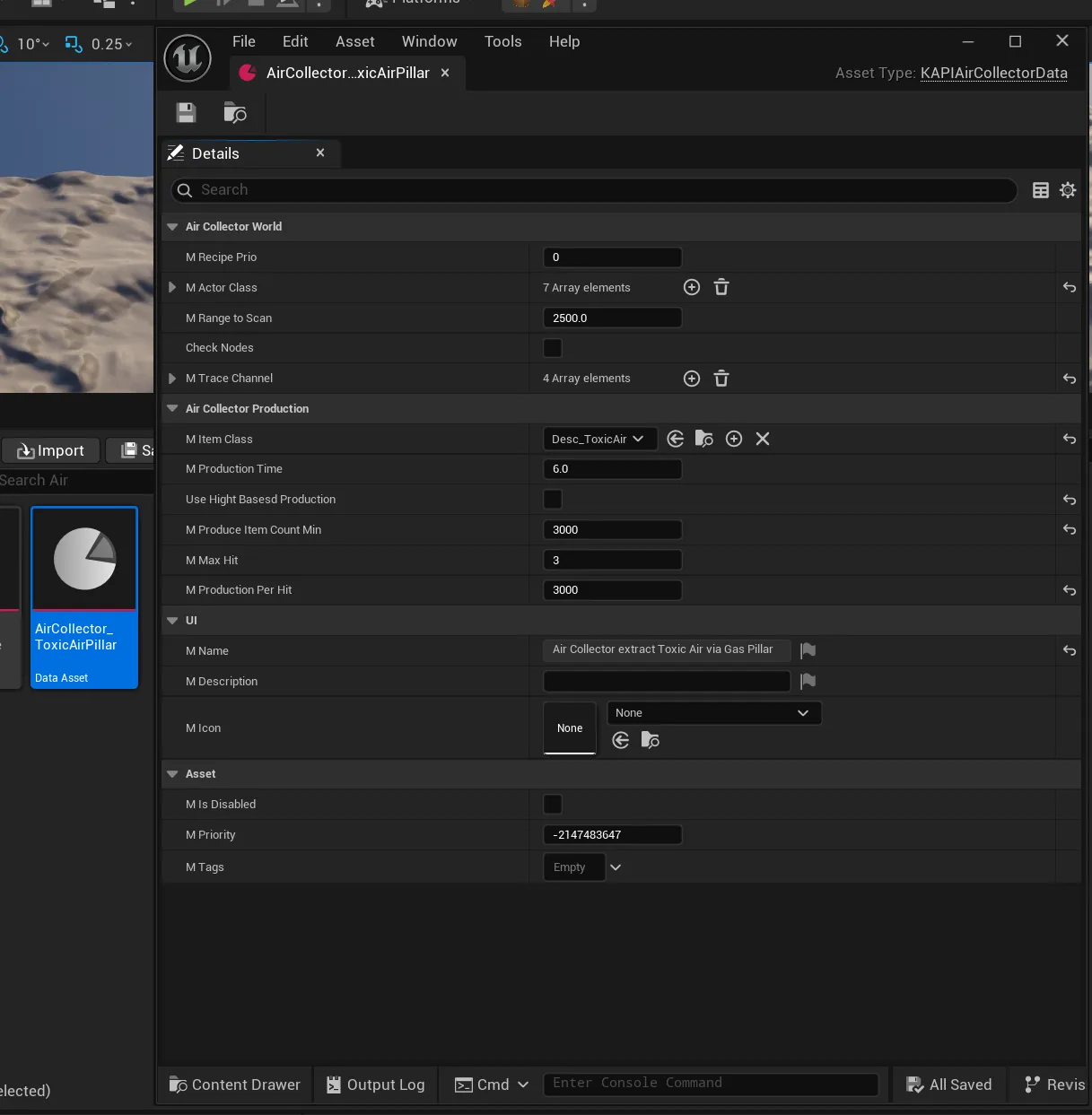
Properties
Section titled “Properties”| Property | Type | Description |
|---|---|---|
mRecipePrio | int32 | The priority of this DataAsset’s recipe. |
mActorClass | TArray<TSubclassOf<AActor>> | The actor classes the Air Collector scans/hits for in the world. |
mRangeToScan | float | The range around the Air Collector to scan for matching actors. Defaults to 2500.0. |
bCheckNodes | bool | Whether resource nodes are also checked. Defaults to false. |
mTraceChannel | TArray<TEnumAsByte<EObjectTypeQuery>> | The object trace channels used for the scan query. Defaults to ObjectTypeQuery1 and ObjectTypeQuery2. |
mItemClass | TSubclassOf<UFGItemDescriptor> | The item produced by the Air Collector for this Resource. |
mProductionTime | float | The production cycle time in seconds. Defaults to 6.0. |
bUseHightBasesdProduction | bool | Selects the production model, see Notes. Defaults to true. |
mProduceItemCountMin | int32 | Minimum produced item count. Only used when bUseHightBasesdProduction is true. Defaults to 1000. |
mProduceItemCountMax | int32 | Maximum produced item count. Only used when bUseHightBasesdProduction is true. Defaults to 25000. |
mProduceItemCountBase | int32 | Base produced item count. Only used when bUseHightBasesdProduction is true. Defaults to 5000. |
mMaxHit | int32 | Maximum hit count. Only used when bUseHightBasesdProduction is false. Defaults to 3. |
mProductionPerHit | int32 | Item count produced per hit. Only used when bUseHightBasesdProduction is false. Defaults to 2500. |
bUseHightBasesdProductiongates two mutually exclusive production models:- When
true,mProduceItemCountMin,mProduceItemCountMaxandmProduceItemCountBaseapply. - When
false,mMaxHitandmProductionPerHitapply instead.
- When